Archive for the 'Electronics' Category

Killer Instinct 2 Deconversion

Last month I cam across an eBay auction for a former Killer Instinct 2 arcade machine.  I say “former” because this poor machine was converted to “Turkey Hunter USA”. A conversion generally means spray-painting all of the original cabinet artwork black, replacing the computer board and the marque and finally gutting the old control panel, covering over the original control panel art with new art and drilling fresh holes for the new controls. It’s quite sad to see, and it’s something I hated doing when I worked in an arcade.

Killer Instinct 2 is my all-time favorite arcade game, they’re pretty uncommon to find in arcades these days and they’re fairly uncommon among collectors as well and growing in value.  The cabinet for sale had the turkey hunter controls and PCB removed so it was just a cabinet and monitor with Turkey hunter art work. $200 +another $150 or so for freight shipping. I decided to buy it and this is what I got:

YouTube Preview Image

machine_01 machine_02

I had a lot of parts to order, I had to buy buttons and joy sticks, a Killer Instinct Marquee, new control panel lexan overlay and art, and the condition of the monitor and power supply were completely unknown and of course I had to buy a Killer Instinct 2 PCB, without that it’s just a fancy box. Lots of other little things such hardware, wiring, connectors, etc.

Paint Removal/Cabinet:
First thing was getting the paint removed off the original artwork, this was first because I wanted to get it done out in the garage before moving the machine indoors. I first tried a product called Lift-Off, which worked but not very well, I then switched to a different product called Citri-Strip, which was fantastic. The results:

ki2_day3_01 ki2_day3_02

I also attempted to remove the Turkey hunter control panel graphics, after unbolting the plastic overlay I tried both a heat gun and goo-gone to separate the new control panel art from the original control panel art, the results, sadly, weren’t that great:

ki2_day1_03 ki2_day1_04

You can see that the new art work pulled up some of the paint from the original art, leaving nasty white lines of missing graphics. Even if that wasn’t the case there were three additional holes drilled in the original overlay around the player 2 joystick and the colors were all faded and dingy (the Killer Instinct logo on the Control panel top is supposed to be red just like the Killer Instinct logo on the control panel front).

I managed to find a new, never used Killer Instinct 2 marquee, which made for the easiest and best looking part of the cabinet “deconversion” so far.

ki2_day2_02

Of course even this took some work, the marquee was for a conversion kit (meaning for people who wanted convert a non Killer Instinct machine to Killer Instinct 2) so it needed to be trimmed to size.

Electronics:
The power supply was making some horrid noises, it wasn’t even the original power supply. I pulled it and bench tested it and found that the output voltages were way off so it was getting junked. The monitor was making some horrible noises too, the PCB I put int to test it wouldn’t boot (due to the bad power supply) so I couldn’t determine if it worked or not.

YouTube Preview Image

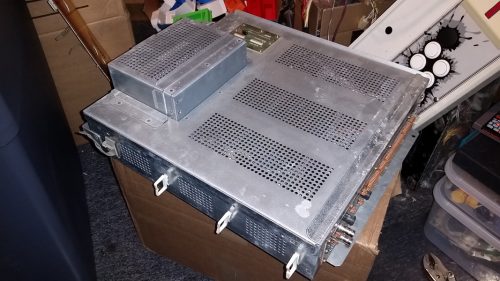
For some odd reason there were hundreds of finishing nails among other bits of hardware on the floor so I cleaned all of that up to prevent any electrical shorts and I bought a new power supply, then modified it to fit in the original mounting location (the junk one that came with the cabinet wasn’t original and had just been screwed into the floor)

ki2_day3_03

This let me boot it up but sadly the monitor wasn’t showing a clear image

YouTube Preview Image

I pulled the monitor chassis and bought all new capacitors and a new flyback, I also planned to replace a few small parts related to image sync  to fix the horizontal sync issue the monitor seems to be having. Here is the chassis with all of the new parts installed:

ki2_day4_01

No good, after reinstalling the image quality was better but the monitor couldn’t hold a sync; it was even worse than before. After getting advice from a few experts they told me to check that I hadn’t installed one of the new parts backwards… after pulling the board back out again and checking I found that the part in question wasn’t in backwards but the solder joint wasn’t strong enough, fixing that, and reinstalling the board I get a nice stable picture. Some small adjustments still need to be made but on a whole the picture looks great.

Control Panel:
Not only was the original control panel gutted and then drilled out when it was converted but all of the original control panel wiring had been cut out of the machine as well. I had to completely disassemble the control panel and install new tee-nuts for the joysticks. I bought all new buttons, joysticks and switches. I couldn’t find a Killer Instinct 2 control panel harness for sale so I would have to build one. I found a harness for a different Midway game that used the same style connectors and wiring colors so I bought it. Repinned the connectors for Killer Instinct and then routed, trimmed, and crimped a disconnect onto each wire. Here is what I started with (just 2 wires!), and what I built:

ki2_day3_06 machine_04 ki2_day4_05

Control Panel Overlay and Monitor Bezel:
I still haven’t been able to find new control panel art, so I made myself an temporary cover-up out of some black poster board. I also bought a reproduction laser-cut lexan control panel overlay and I had new monitor bezel stickers printed from some scans that I found online.

ki2_day4_09 ki2_day4_08 ki2_day4_07

The Results so far:
So I’ve got all of the electronics fixed and rebuilt the cabinet has been washed clean of all the Turkey Hunter conversion stink, the last bit is to plug in the Killer Instinct 2 PCB I bought and fire it up:

YouTube Preview Image

I got a few games in and I’m really happy to have all the work so far pay off.

What’s left to do:
I’ve still got some finishing touches to do here is the list

  • touch up paint on the side art to cover up scuffs and scrapes
  • repaint the front lower section of the cabinet
  • replace a coin door light bulb
  • find and install a bill collector blank for the hole in the coin door
  • find and install a proper control panel graphic
  • properly mount the KI2 PCB
  • install a cooling fan for the PCB
  • fine-tune the convergence on the monitor
  • built a light shield to prevent the marquee light from bleeding onto the monitor bezel
  • install new t-molding

I’ll get some of the larger items on this list done soon, but other items might take a while to source the right parts. I’ll do an in-depth wrap up video once I’m 100% done.

SteamBox Build

I haven’t been a PC gamer for years. I spend all day at work sitting a computer desk, I spend a lot of time at home sitting at a computer desk working (to keep my various websites running) so when I need some down-time I’d rather sit on my couch and play games then spend even more time at a computer desk…

steam-big-picture-mode

A few months ago Valve introduced “Big Picture Mode” for Steam. This mode basically adjusts the Steam menu system for HDTVs and controller based navigation. Rumors started flying that they were going to make their own console to compete with Playstation and Xbox. More recently those rumors were somewhat confirmed when Valve announced that they will be making a “SteamBox” spec for what this Living Room PC should be, essentially allowing any hardware manufacturer to make their own variation of the SteamBox and at the same time help standardize the PC; the first of which is the Xi3 Piston.

xi3piston

This obviously intrigued me since there are a number of PC games I’d love to play but not wanting to drop $1000+ for a gaming PC and then spend even more time in my office playing it. So I set out to build my own budget SteamBox. The SteamBox “spec”  hasn’t been released, though chances are it would be out of my price range anyway so I was just going to see if I could get the job done for under $300 (what I’d expect to pay for a console) leveraging the piles and piles of old PCs I had laying around.

nmedia_htpc_600bar

The first PC I was sacrificing was an old HTPC/DVR I built, after looking at the equipment inside I quickly determined that the only thing worth salvaging was the case itself and the disc-drive. The case was an nMedia HTPC 600BAR. It’s a nice black steel chassis that supports a full-sized ATX Motherboard with a real brushed aluminum front, an integrated IR window, as well as flash media ports right on the front and a decorative disc tray door. (it’s also got USB, Firewire, and audio ports on the side right near the front). The DVD R/W drive is nothing special but it’s compact, quite and supports SATA.

The second PC I salvaged was one that my brother gave to me. I had built it for him 2 years ago for HD Video editing. it was blue-screening on him every-time it booted up and he got frustrated and just bought a new PC and gave me his old one since I had built it. This had an Asus P5N-D motherboard which is setup for gaming with overclocking features, it had a Intel Core 2 Quad (Q6600) processor 3GB of DDR2 memory across two sticks, and a two Seagate Barracuda 320GB 7200RPM SATA drives setup in a RAID array. It had a really nice Rosewill 550W power supply and a good-for it’s time but now dated ATi graphics card along with various other bits of essentially uninteresting hardware.

Comparing the specs of the Q6600 to an Intel i3 I found them to be fairly comparable CPUs, the i3 was more efficient and slightly better for gaming tasks, but the Q6600 was a slightly better performer for non-gaming tasks. So I considered this a good-enough platform for my needs… I don’t need a graphics powerhouse and my projector is only 720P so as long as I can run games above 30FPS at 1280×720 with decent AA and textures I’ll be happy with the results. Sure an i3 would be a bit better and an i5 would be a big step up… but the Q6600 was free and that would give me a lot of room to work with the rest of it.

nvidia_gtx_550_it_superclocked

Since I was short-changing myself slightly on the processor side I wanted to get the beefiest graphics card (I could afford) that was compatible with the somewhat dated motherboard. the P5N-D includes 2 16x PCI-e 2.0 slots (3.x is the current new standard) looking around there were a few $400+ cards that still supported the v2.0 slot but the GTX550 seemed to fit my needs, it has an HDMI port (an absolute must for a TV build) and I found a used “superclocked” variant with 2GB of on-board memory for $120, I probably could have found. The next step up used  v3.0 and the 2GB variant of that was prohibitively expensive so this seemed like a good choice. I also picked up two used 2GB sticks of matching DDR2 memory for $25 to max out the motherboard supported of  8GB of memory.

If you’re keeping track at home I’ve spent $145 including shipping and my PC specs are:

  • nMedia 600BAR HTPC Case
  • Asus P5N-D Motherboard
  • Intel Core 2 Quad Q6600 processor
  • 8GB Corsair DDR2 memory
  • nVidia GTX 550 Ti 2GB Superclocked
  • Seagate Barracuda 320GB 7200RPM HDD in RAID array
  • Rosewill 550W Power Supply
  • Lite-On DVD R/W drive
  • integrated flash media slots

Now came the came the part where I’d need to chose an operating system. Ideally I’d run Ubuntu but that’s not really an option for gaming. Rumor has it the official Valve SteamBox will run Linux, which is great and I’m sure that will vastly improve linux gaming support, but the market is just not there yet. I like Win 7 but I’ve heard that Win 8 is a little lighter and runs a little faster, not to mention the Metro UI while loathed by traditional PC gamers seems the perfect interface for a HTPC Gaming machine… Win 8 was the easy choice.

sanoxy_pc_remote

The Last piece of the puzzle is the peripherals, I have a wireless keyboard and mouse that I bought so I could use the keyboard with my Xbox 360 before they released the “chat pad”… it’s USB based with it’s own 2.4GHz transmitter. Keyboard and mouse are a necessary evil but I really don’t want to be using that very often, especially not from the couch. after some research I found there are these generic chinese IR remotes sold under a dozen different names that emulate a keyboard and mouse. The one above I bought on Amazon for $7.50 shipped. It’s pretty slick you can move the mouse pointer around using the big directional button and most of the other buttons are mapped to standard keyboard shortcuts. The best part is that the Harmony Remote supports this protocol so anything you can do via keyboard I can do via my harmony remote.

The first one I received had a defective IR receiver, but the Amazon seller sent me another one without any hesitation. I had to rig up a custom mounting bracket to hide the receive behind the IR window in the front of the case and I even had a USB pin header adapter so I’m not even snaking the cable out to an external port… nice and clean.

wireless_gaming_receiver

The last peripheral bit was to pickup an official Microsoft “Wireless Gaming Receiver” a small USB dongle that allows you to use any wireless Xbox 360 controller on a PC. Sadly I wont be able to easily mount this inside of the case as I will need access to the sync button. I considered doing something clever like cracking it open and re-appropriating the case’s reset button for sync but then I might still run into problems with the metal chassis interfering with the signal… so outside the case it will stay, I may make up a custom mount to keep it at the back of the case.

steam_box

You may notice that there is another PCI card in there, this is simply a second network card. The reason being is that I had been using another old PC as a hardware firewall for my Xbox 360, this allowed me to force block people on Xbox Live, I’d remote into that PC and identify the IP of the person I didn’t want to play with and add them to the block list. I’d then never connect to them in-game again. It also worked the other way where I could set a white list so I would only connect to my friends, keeping randoms out or forcing myself onto a specific Xbox Live server. Now that I’ll have a PC in the same room as my Xbox I can use this for the firewall tasks and simply switch inputs on my receiver instead of involving my laptop to remote into the old firewall PC.

I haven’t tested it out yet (two of the fans in the case seems to be on their last leg so I want to replace those before I put it through it’s paces… I’m pretty happy with it so far and will be interested to see how my sub $300 SteamBox works out.

Speaker Color Change White to Black

3 Years ago I got a deal on some Cambridge SoundWorks S305s to help round out my 7.1 surround sound system. Normally they sold for $300 a pair but I got them for $100 a pair on clearance. Part of the reason they were so cheap was due to the fact that they were the less desirable white color.

They’ve been sitting in the box since… I finally go around to painting them and re-upholstering the grills.

Today’s Productivity…

… finished building a Tube Based Headphone amp for Jeff

Bought myself a DSO Nano V2 today

I’ve wanted to add an oscilloscope to my electronics toolbox for years.  I’ve passed on a few projects simply because I wouldn’t be able to complete them without one. Well there are a few electrical loose ends to tie up with my LS1 swap so I finally bit the bullet and bought a DSO Nano. Much to my surprise they’ve releases a V2 of the hardware that’s even prettier than the original.

My two biggest apprehensions to buying this were that it only supports up to 1MHz frequencies and that it only has 1 channel. Ideally I like 100MHz and 2 channels at minimum but it was only $90 including shipping, which is a friggin STEAL for a digital capture scope, never-mind one that’s hand-held.

I was almost persuaded to belay the purchase again when I saw on SeeedStuio’s website that they’re taking pre-orders for the Beta version of the DSO Quad.

The Quad has 4 channels and supports up to 36MHz which makes it a huge improvement over the Nano and the pre-order price for the beta test is only $150, but the “estimated” release date is late March. Having the Nano will be an enormous improvement over not having a scope at all, and the Quad is cheap enough that I’ll wait until it’s out of Beta to buy one.  Either way, I’m stoked to finally have an oscilloscope at my disposal again, since I haven’t had access to one since college.